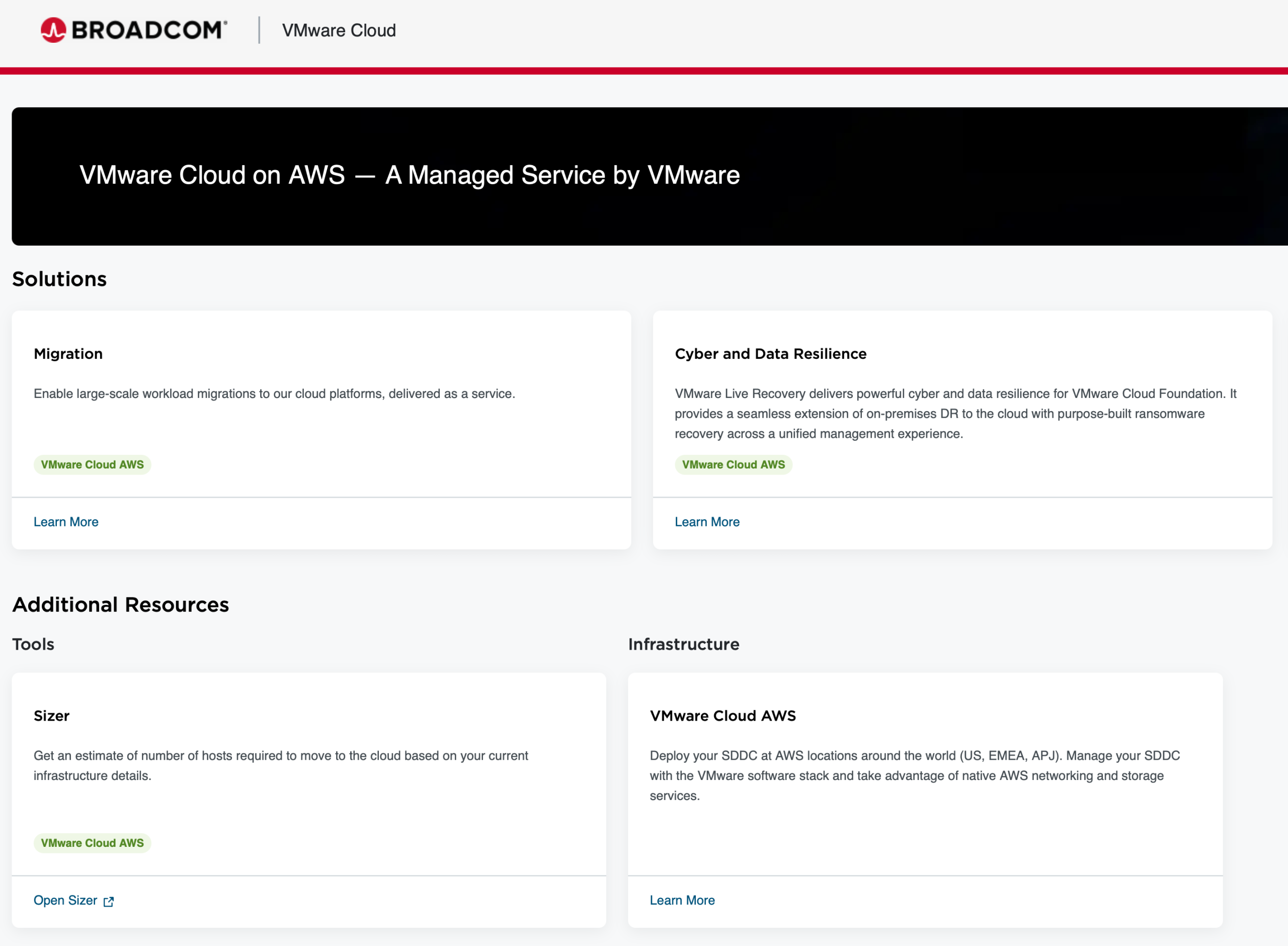
VMware Cloud on AWS – What’s New – December 2025

I posted last month about what’s new in VMware Cloud on AWS, particularly as it related to stretched cluster and HCX enhancements. The team has been working hard on some more new features, and I thought I’d cover them off briefly here. More detail can be found in the VMware Cloud on AWS Release Notes are here, and there’s a great blog post from the team here.


What’s New?

New Host Usage Report API

Have you been wondering what’s going on with resources in your VMC on AWS environment? Wonder no more. All the cool cloud kids are using APIs, and VMC on AWS is no different. Now you can retrieve daily host usage reports for any date range and filter by region, instance type, SKU, and other attributes – all via the API. There’s no need to call me and ask for a report on what’s happening, nor do you need to log a ticket to get access to the information. Here’s what a sample query looks like.

curl -H 'Authorization: <value>' https://{api_host}/api/activityanalytic/{org_id}/hosts/{freq}/usage-report?start_date=value&end_date=v

Check out the documentation here.

Redesigned VMware Cloud on AWS UI

The VMware Cloud on AWS UI has also had a facelift, and the interface is more streamlined and easier to navigate. You can access it at https://vmc.broadcom.com.

VMC Sizer & Cluster Conversion Updates

Ever since I started working with VMware Cloud on AWS, I’ve been a huge fan of the VMC Sizer tool. It’s so much better than trying to build solution estimates with a spreadsheet and a dream. If you’re an existing I3.metal customer, you’ve likely (hopefully) been planning a migration to I3en.metal or I4i.metal nodes. The conversion estimates can be a bit of a mystery, and have frequently required involving people like me and folks from the SRE team to provide these estimates. The product team has been working to make the process more streamlined, while giving customers improved visibility into why the numbers are the way they are. The output from sizing estimates now provides clear reasoning behind why a specific number of hosts is required, and this is based on 6 elements (compute, memory, storage utilisation (with both conservative and aggressive options), vSAN storage policies, and NSX Edges). It’s never been a simple matter of saying two I3.metal hosts equals one I4i.metal host, and now the sizer output reflects this more clearly.

The following constraints should be noted:

  • Final host counts and sizing will be validated during the actual cluster conversion. Sometimes you end up with more, sometimes you end up with fewer hosts.
  • Customers should re-run sizing evaluations after any significant configuration, resource, or other changes. Please don’t add another 30TiB workload to your cluster and expect the same result.
  • No RAID policy changes are made during conversion. This is especially notable if you’re using custom storage policies in your environment.
  • Subscription estimates provided as part of this workflow are for planning purposes only and do not represent guaranteed final requirements.
  • Actual subscription needs may be higher than estimated, requiring additional subscription purchase post-conversion. You’re given a small window to make good on this.
  • Refunds or subscription reductions will not be provided if estimates exceed actual needs.


Thoughts

As I mentioned in my previous post, VMware Cloud on AWS is not going anywhere, and the product and engineering teams continue to innovate and work hard to ensure that users get the best value from their investment in the VMware Cloud on AWS solution. The Host Usage Report is extremely useful, and for those customers concerned about cluster conversions, the improvements to the VMC Sizer should improve the confidence in the sizing process.

Brisbane VMUG – November 2025

The November edition of the Brisbane VMUG meeting will be held on Thursday 27th November at Christie Spaces, 320 Adelaide St (Room F) from 3pm – 5pm. It’s sponsored by Broadcom and Google Cloud and promises to be a great afternoon.

  • Session 1: Modernize All the Things with VKS in VMware Cloud Foundation (Presenter: Mike Francis – Principal Transformation Architect – Broadcom). VCF Supervisor and Supervisor Services is a pivotal change. In this session we will discuss what Supervisor is, how you should view Supervisor Services as the foundation for your cloud and how this capability modernises on-premise Cloud Operations. We will demonstrate Supervisor and Supervisor Services and draw the connection between it and operations modernisation.
  • Session 2: What’s new with GCVE and native cloud integration (Presenter: Clay Quinn – Senior Solution Architect – Google Cloud). We will explore the seamless architecture between private SDDC and Google’s cloud-native ecosystem, demonstrating how high-bandwidth, low-latency networking enables direct access to services like BigQuery, Cloud Storage, and Vertex AI. Discussion of practical use cases for extending your existing VMware estate, allowing modernization of applications, unification of operations, and leveraging advanced analytics without the risk or complexity of immediate refactoring.

Broadcom and Google Cloud have gone to great lengths to make sure this will be a fun and informative session. You can find out more information and register for the event here.

VMware Cloud on AWS – What’s New – September 2025

It’s been a little while since I’ve posted about what’s new in VMware Cloud on AWS. There have been plenty of enhancements made to the platform, along with a streamlining of capabilities. The more things change, so to speak. That said, I thought I’d put up a short post that covers off some of the key enhancements made available to customers via the SDDC 1.24v5 update that’s currently being rolled out across the fleet. And if you’re trying to work out what on Earth I mean when I refer to 1.24v5, etc., here’s a handy document that’ll help you match up VMware Cloud on AWS releases and the corresponding vSphere components. The VMware Cloud on AWS Release Notes are here.


What’s New?

Non-Stretched Secondary Cluster Support in Multi-Availability Zone Stretched Cluster SDDCs

It’s a bit of a mouthful, but let me dig in. I’ve posted about the utility of stretched clusters previously (and I’m thinking of writing about it again based on some conversations in the past month). Stretched clusters have historically been a cool way to ensure that your workloads are protected across multiple Availability Zones in the event that one or more components (or hosts or even the whole Availability Zone) go away. One of the constraints with VMC on AWS stretched clusters, however, has been that an SDDC with a stretched cluster could only ever contain stretched clusters – there was no opportunity to mix topologies within the SDDC construct. So, one organisation I know of has its production workloads running on a stretched cluster on one SDDC, and its non-production workloads running on another SDDC. While it’s not the end of the world, it makes things slightly more fiddly from a management perspective, and duplicates some of the work required when it comes to firewall configurations, user creation, workloads mobility, and so forth. The VMC team has recognised this, and has now announced that VMC on AWS will have support for secondary non-stretched clusters in the same SDDC as stretched clusters.

There are, of course, a few caveats to be mindful of. Firstly, you need to be on 1.24v5. Secondly, the primary cluster needs to be a stretched cluster – you can’t add stretched clusters to non-stretched SDDCs. Thirdly, you can’t convert stretched to non-stretched and vice versa. Once the clusters are configured the way they are, you’ll need to keep them that way. Fourthly, the non-stretched clusters can only be deployed in one of the Availability Zones in which you’ve deployed your stretch cluster. You couldn’t, for example, deploy a stretched cluster in AZ1 and AZ2, and deploy a non-stretched cluster in AZ3, while hoping to keep this all in the same SDDC. Finally, the minimum non-stretched cluster size is three hosts, not two.

Default and Maximum Virtual Machine Hardware Version Increased

From the release notes, “[t]he default virtual hardware version has been increased from Virtual Hardware 14 (vSphere 6.7 compatibility) to Virtual Hardware 19 (vSphere 7.0 U2 compatibility). The maximum virtual hardware version has been increased from Virtual Hardware 19 (vSphere 7.0 U2 compatibility) to Virtual Hardware 20 (vSphere 8.0 compatibility)”. This really helps with compatibility with newer Windows and Linux guest operating systems while still providing the (crucial) ability to move workloads between VMware hosts on various cloud and on-premises platforms.

Increased NFS Throughput

Of note with the 1.24 release, “the MTU on VMK0 has been increased to 8500”. It’s reported that this increases large block throughput by up to 20% for NFS Datastore workloads. This is becoming increasingly important as customers look to leverage NFS-based storage solutions like FSx for NetApp ONTAP for less latency-sensitive storage workloads that don’t need to be hosted on vSAN.


Thoughts

While I’m excited about the General Availability of Amazon Elastic VMware Service, that doesn’t mean that VMware Cloud on AWS is dead. The VMware Cloud on AWS product and engineering teams have continued to work on releasing innovative features and important, incremental improvements. The encouraging thing about this is that they are listening to customers, particularly around things like mixed cluster topologies, and continuing to adapt the solution architecture to satisfy those requirements. This is a good thing for both existing and potential customers. If you looked at VMware Cloud on AWS three years ago and ruled it out, I think it’s worth looking at again.

Random Short Take #104

Random short take #104. Want news? This is where news goes to die. Let’s get random.

Amazon Web Services – Elastic VMware Service – A Few Notes …

Amazon Web Services (AWS) recently announced the general availability of its Elastic VMware Service (EVS). This is a brief post covering what the service is, how it can be consumed, and why it might be of interest.


What Is It?

EVS is a service that provides the ability to run VMware Cloud Foundation (5.2.1) on AWS bare-metal instances (specifically I4i.metal). It’s a by-the-book consolidated architecture (running management and workload domains together), and contains the following VCF management components:

  • ESXi hosts;
  • vCenter Server instance;
  • SDDC Manager;
  • vSAN datastore;
  • Three-node NSX Manager cluster;
  • vSphere cluster; and
  • NSX Edge cluster.

Storage is provided by vSAN (and selected third-party storage integrations), with two discrete network layers being delivered: the Amazon VPC and the VMware NSX overlay network. You can read more about the architecture here.

To consume the service, you’ll need 4 nodes to get started, along with at least 2 VPC Route Servers, and AWS Enterprise Support. There’s a pricing calculator on the AWS website. You’ll also need to procure VCF licensing from Broadcom or an authorised reseller.


Where Is It Available?

The initial launch Regions are:

  • US East (North Virginia)
  • US East (Ohio)
  • US West (Oregon)
  • Asia Pacific (Tokyo)
  • Europe (Frankfurt)
  • Europe (Ireland)

Availability in more Regions is planned for the future.

Other Considerations

Storage

You can leverage NetApp’s FSx for NetApp ONTAP service to provide additional storage for the cluster. There’s some useful guidance here and here. If you like it more orange, Pure Storage’s Cloud Block Store is also available for use with EVS. You can read that announcement here.

Clusters

Cluster sizes are currently limited to between 4 (minimum) and 16 (maximum) nodes. There is currently no support for stretched clusters. This will likely change in the future.

Add-ons

Services that VMware Cloud on AWS users may be familiar with, such as vDefend Advanced Threat Protection, and VMware Live Cyber Recovery, are not currently available with EVS.

Planning and Deployment

Much like VMC on AWS (and most other cloud service deployments, for that matter), there’s a bit of planning you’ll need to do before you jump on the console. There’s a handy checklist that takes you through all of the requirements here. It’s also worth noting that, unlike VMC on aWS, this isn’t a managed service, so some of the VPC constructs you see with VMC on AWS aren’t used with EVS. For example, there’s no shadow VPC deployed for EVS – it’s all done out of the customer account. And features like EDRS aren’t available, you need to manage your capacity yourself, in much the same way as you would do with an on-premises VCF deployment.


Thoughts

EVS is the same as VMC on AWS in the sense that it’s running VMware software on top of AWS bare metal servers. There are plenty of differences though, some of which I’ve covered above. I imagine many of the constraints around additional product integrations and scalability will be removed in the near future as the product evolves, and we’ll no doubt see some changes when it comes to partners offering managed services wrapped in with EVS. It’s been a while coming, but now that it’s here, I’m interested to see how the market responds. There are probably plenty of questions I haven’t answered, but there’s a useful FAQ document here.

Brisbane VMUG – July 2025

The July 2025 edition of the Brisbane VMUG meeting will be held on Thursday 24th July at the Pig ‘N’ Whistle Riverside, Riverside Centre, 123 Eagle St, Brisbane City QLD 4000 from 3pm to 5pm. It’s sponsored by Druva and promises to be a great afternoon. Register here.

Here’s the agenda:

Session 1 (45min – 1hr): Cyber Recovery for VMware (Druva)

Presenter: Bruce Perram (Senior Systems Engineer)

Topic: Many organisations today are focused on prevention of cyber-attacks however organisations are still being breached. How do you recover from a cyber-attack? This session will include a demo of cyber recovery in a VMware environment. It will also explore the difference between backup & recovery from cyber recovery and the capability required rapidly perform a cyber recovery.

Session 2 (45min – 1hr): VCF 9 – The High Points and Demo (Broadcom)

Presenters: Peter Hauck (Staff Solutions Architect) and David Miller (Senior Solutions Architect)

Topic: With VCF 9 release last month there is a lot of new and exciting features to show. We will leave the details feature discussions to the excellent marketing coming from Broadcom HQ. In this session we run through a live demo of the solution and discuss what it means for customers today. The session is live so lots of opportunity to ask questions.

Druva has gone to great lengths to make sure this will be a fun and informative session. Following the sessions, the VMUG team will be hosting vBeers – an opportunity to network with other members of the community and chat with the experts!

Exciting giveaways await! You could score prizes like a VMUG Advantage subscription or a large LEGO kit – just make sure to register to be eligible.

Random Short Take #103

Random short take #103. Want news? You’re probably not in the right place. Let’s get random.

VMware – vExpert 2025

I’m very happy to have been accepted into the vExpert program for 2025. This is the thirteenth time that they’ve forgotten to remove my name from the list (even I didn’t think I’d keep doing that “joke”). You can read more about it here. Thanks again to Corey Romero, the vExpert PROs, and the VMware by Broadcom Community and Advocacy Team for making this kind of thing happen. And thanks also to the vExpert community for being such a great community to be part of. This year there are 1212 vExperts from 75 Countries. Congratulations to you (whether this is your first or thirteenth time). There’s been a lot happening in and around VMware recently, and I’m happy that programs like this can continue to exist.

Brisbane VMUG – February 2025

The February 2025 edition of the Brisbane VMUG meeting will be held on Tuesday 25th February at the NetApp office (Level 17, Central Plaza Two, 66 Eagle St, Brisbane) from 12:00 – 1:30pm. It’s sponsored by Netapp and promises to be a great lunch and learn session.

Here’s the agenda:

  • Wade Juppenlatz, Technical Partner Lead at NetApp, will be presenting ONTAP tools for VMware (OTV) integration and a dual site active/active configuration using vSphere HA and NetApp BlueXP.
  • Peter Hauck, Cloud Infrastructure Architect at VMware by Broadcom, will be presenting an overview of memory tiering and how it can help reduce hardware costs. He’ll cover off what capabilities and features you can expect to see in the production release of memory tiering in VCF 9 as well as how you can use the current tech preview version in vSphere 8 to get much more out of your home lab.

NetApp has gone to great lengths to make sure this will be a fun and informative session. You can find out more information and register for the event here. Also, if you’re interested in sponsoring one of these events, please get in touch with me and I can help make it happen.

VMware Cloud on AWS – TMCHAM – Part 14 – Stretched Clusters and Disaster Recovery

In this edition of Things My Customers Have Asked Me (TMCHAM), I’m going to cover some of the things to consider when looking at Disaster Recovery (DR) and availability solutions on the VMware-managed VMware Cloud on AWS platform. It might seem like basic stuff if you’re already using the platform, but there are plenty of customers I talk to that are struggling to distinguish between DR, data availability, and periodic data protection in a VMware Cloud context.


Terminology

I’m cheating a little here and re-using some of my older content, but I think it still holds up.

  • Disaster Recovery – Disaster Recovery is the ability to recover applications after a major event (think flood, fire, data centre is now a hole in the ground). This normally involves a failover of workloads from one DC to another in an orchestrated fashion. In a VMware context, you would use VMware Live Recovery (Site or Cyber, depending on the environment).
  • Disaster Avoidance – Disaster avoidance “is an anticipatory strategy that is in place in order to prevent any such instance of data breach or losses. It is a defensive, proactive approach to keeping data safe” (I’m quoting this from a great blog post on the topic here). In a VMware context, this would be a stretched cluster using vSAN on VMware Cloud Foundation or in VMC on AWS.
  • Periodic Data Protection – This is the kind of data protection activity we normally associate with “backups”. It is usually a daily activity (or perhaps as frequent as hourly) and the data is normally used for ad-hoc data file recovery requests. Some people use their backup data as an archive. They’re bad people and shouldn’t be trusted. You should consider PDP as separate to DA or DR solutions.


So How Do I Best Protect My Workloads? (Part 1)

Understand Your Workloads

You need to understand how your applications work. And you need to understand what talks to them and what they talk to. There are plenty of ways of doing this, including a variety if applications available that scan network traffic and draw pretty pictures of data flows for you. From experience, there’s a very good chance you won’t get this information by reading current documentation, because it won’t be current.

You need to understand how important your applications are to you. Do you need to recover them immediately if something goes wrong? Can you do without them for a few hours? A few days? How much data can you afford to lose? All of it? (in which case why do you still have this data sitting around?). None of it? Some of it? You need to be disciplined and thorough in your assessment of your workloads and what they mean to your business, because protecting them or recovering them can be an expensive exercise.

Understand What Scares You Most

What do you call a disaster? Is it a data centre turning into a hole in the ground? Do you run most of your workloads in an area prone to natural disasters? Or are you more worried about people in hoodies breaking into your infrastructure and encrypting it and your data protection infrastructure? (Hot tip: you absolutely should be worried about this). You need to be fairly paranoid about the scenarios you’re trying to protect your environment from. No one thought it was a problem keeping workloads in two buildings in New York until it was. At the same time, you’ll need to introduce some pragmatism into your planning. I’ve had customers ask me what they could do if all of the Sydney Region was wiped out (not just the AWS deployment, but the whole city). Could they recover data to Melbourne? Sure. Would they have any staff left to do it? Or want to do it? Depending on the nature of the disaster, the technical aspects of disaster recovery are going to be the easy bits. You still need to make sure the people and process bit is covered.

Who Can Help You? 

Do you want to handle any recovery activities yourself when things go bang? Or are you happy to let someone else do the heavy lifting for you? Some folks don’t trust outsiders to do “important” things, like recover workloads, whilst other organisations would consume absolutely everything as a service if it was an option.

How Much Can You Spend?

You need to answer the questions above before you can answer how much you’re willing to spend on one (or more) solutions to help keep your workloads protected. If your apps aren’t that important, or your business can continue to run without access to these apps for a period of time, then you’re going to be less inclined to go for the “platinum” solution. But if you’re whole business relies on applications being available 24/7/365, then you’re hopefully more understanding that you’ll need to invest.


So How Do I Best Protect My Workloads? (Part 2)

Data Availability with VMware Cloud on AWS

As I mentioned earlier in this post, if you’re looking to provide data availability for your workloads on VMware Cloud on AWS, you should be looking at deploying a stretched cluster solution. In short, stretched clusters in VMware Cloud on AWS are designed to protect against an AWS availability zone (AZ) failure. There’s a feature brief available here that goes into more depth on the solution. Key things to note are that the vSAN stretched cluster is deployed across 3 AZs (2 workload, 1 witness). So you could have 3 hosts in one AZ, 3 in another, and VMware deploys a witness node in the third site as part of the deployment. From the document, “vSAN Fault Domains are configured to inform vSphere and vCenter which Hosts reside in which AZ. Each Fault Domain is named after the AZ it resides within to increase clarity. Logical networks are also extended using NSX to support workload mobility across the two AWS availability zones”. You also have the option to keep data using various vSAN storage policies, including:

  • Dual-site mirroring (stretched cluster)
  • None – Keep data on primary (stretched cluster)
  • None – Keep data on secondary (stretched cluster)

Why would you not just mirror everything? Cost. Some applications simply don’t need that level of resilience, but it’s too complicated to deploy multiple SDDCs to support multiple deployment topologies (you can’t have a mix of single AZ and stretched clusters in the same SDDC), so customers can keep a mix of workloads in the same deployment. Note also that external storage solutions (like FSx for NetApp ONTAP) aren’t supported for use with stretched clusters. vSphere HA will restart the VM on the surviving AZ if a site failure is detected. There’s a short video on YouTube that covers a stretched cluster deployment and is worth looking at.

Disaster Recovery with VMware Cloud on AWS

I’ve covered VMware Live Cyber Recovery (and its predecessor, VMware Cloud Disaster Recovery) on this blog before. It’s a great solution to protect on-premises, GCVE, and VMware Cloud on AWS workloads.  It provides protection to a secure cloud filesystem with a Recovery Point Objective as low as 15 minutes, the ability to perform guided ransomware recovery in an isolated environment, and SaaS-based recovery automation. The kind of things you want to consider when evaluating the suitability of VLCR to your needs would be:

  • Recovery Point Objective – the maximum amount of time in which data may have been permanently lost during an incident. VLCR goes down to 15 minutes, but if you need lower than that you need to look at other architectures.
  • Scalability – how many Virtual Machines and how much storage are you trying to protect? And how quickly do you want to recover it? And where do you want to recover it to? Some folks don’t like VMware Cloud on AWS being the only recovery option, but VMware has announced “plans to enhance VMware Live Recovery support for Google Cloud VMware Engine (GCVE) as a cyber and disaster recovery (DR) site, for both on-premises as well as GCVE environments“. You can check out the configuration maximums for VMware solutions here.
  • Networking and security – how will you access your recovery workloads? Will you use HCX to have stretched networks between your protected sites and your recovery site? What does that look like for your core networking infrastructure? Is your CISO happy to recover stuff onto a cloud platform? There are many things you’ll need to work through internally to ensure people are comfortable. I’d also recommend you go with a pilot light deployment as opposed to an on-demand solution. While the pilot light option seems more expensive, it will save you when something goes wrong and you’ve already tested your deployment.
  • Other Considerations – there’s a bunch of info in the legacy VCDR Release Notes that highlight some of the constraints to be aware of from an architectural standpoint, and understanding some of these (like the ability to protect stretched clusters, but not recover to stretched clusters) is key to ensuring your architecture will work when you push the button. And one point that is often missed by folks looking at VLCR for the first time is that, as the recovery SDDC is just a VMware Cloud on AWS deployment, you can use it for other workloads in the meantime, like dev/test stuff, when you’re not in a recovery situation.

Periodic Data Protection with VMware Cloud on AWS

There are a tonne of different things you can do here, and I’d be naive to suggest that I could cover them all effectively in this post. To use periodic data protection solutions with VMware Cloud on AWS, you should check out this KB article, and work with your data protection vendor to ensure that the solution has been tested and works on VMware Cloud on AWS. I’ve encountered a few situations where the vendor has assumed that VMware Cloud on AWS works the same way as VMware on-premises, and with the same ability to do silly things with privileged access to ESXi hosts and things of that nature. There aren’t a lot of restrictions in place, but there are some important ones, like the aforementioned limits on direct host access, restricted account privileges, and so on. Just make sure you test it before you buy it. I’ll try and cover some of the scenarios that do and don’t work in a future post (without naming too many names).


Conclusion

I’m sticking with solutions available with VMware Cloud on AWS in this post, mainly because that’s what I’m talking to people about on a daily basis. But there’s plenty here that can be applied more generically to a variety of infrastructure solutions. You’ll have the same questions you’ll need to ask when it comes to protecting workloads on-premises (regardless of your choice of hypervisor), and you’ll need to make some hard decisions ab out what you want to protect depending on the value of what your workloads deliver to the business, and the available budget. You might also need to consider doing a combination of all three options, depending on the importance of the data / workloads you’re looking after. I’d always pick stretched clusters to keep my workloads up and available, but that won’t help me if some hacker decides to dump ransomware in my environment and encrypt all of my stuff. But if I need to go back 24 months to retrieve some file for an auditor, I wouldn’t use VMware Live Cyber Recovery for that. I should also mention that you should be using application-level protection as your first option for application resilience too. This other stuff is all infrastructure level, and potentially not as elegant, depending on your applications. But that doesn’t mean you can’t combine both methods. Unfortunately, there’s no one magical fix for this problem, but with a bit of planning, and some critical evaluation, you can protect your workloads against all manner of bad situations. And if you can’t do everything, at least do something, but just make sure people in your business understand the difference between the two. And remember, you’re only as good as your last recovery.